 Mugyn
Mail that organises cases, not your inbox.
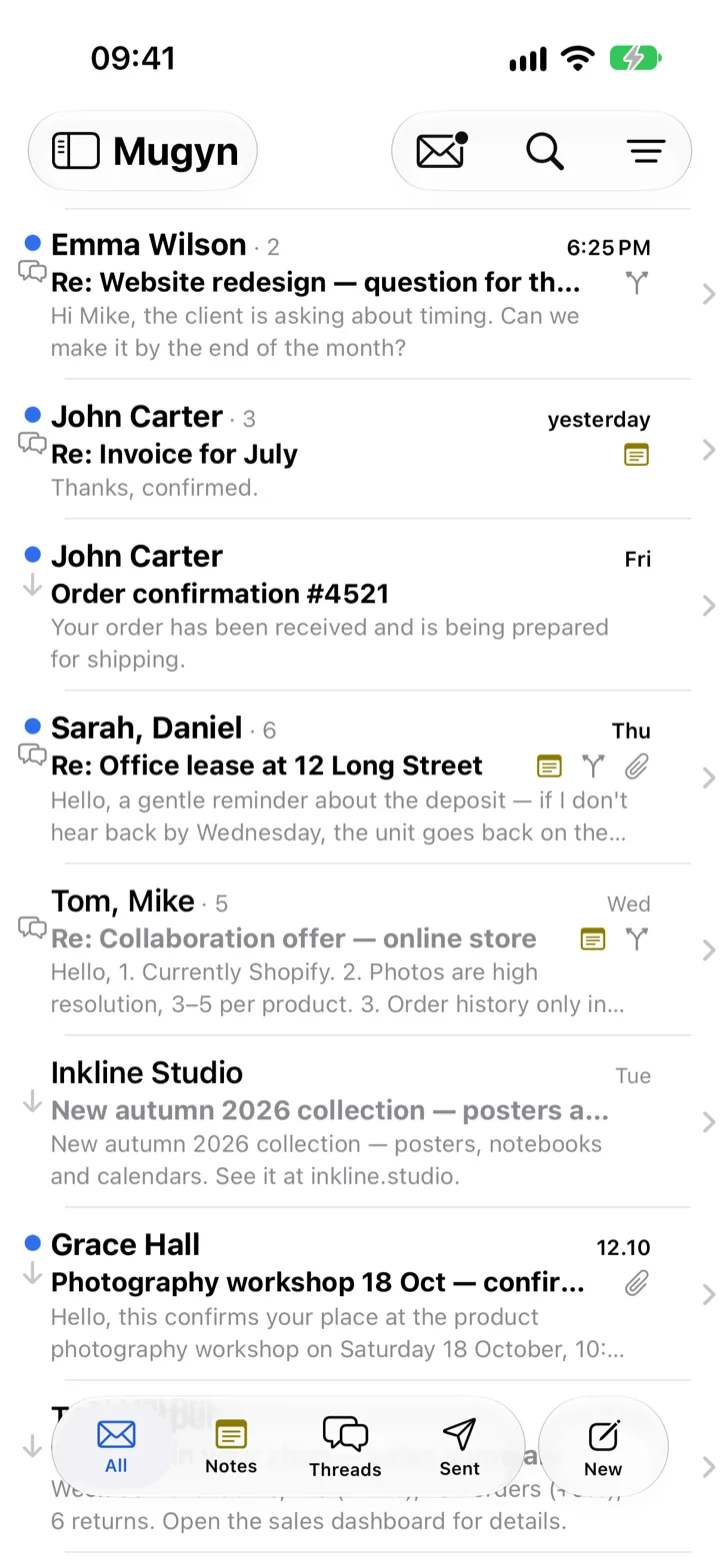
You reply to a client. You ask your accountant about the same matter on the side. What was agreed on the phone ends up in yet another app. In Mugyn all of it stays with the case — on your iPhone, with no server that could read it.
Some mail is just a message. Some mail is a matter.
A project for a client. A dispute with a supplier. The flat you rent out. A claim with an insurer. That kind of mail has a history, agreements and people on the side — and an inbox sorted by date is the wrong tool for it.
Mugyn is built for people who handle mail as matters to resolve: freelancers, small businesses, landlords, and anyone who has to remember what was agreed, with whom, and when — especially if they work from more than one mailbox.
One case. Three threads.
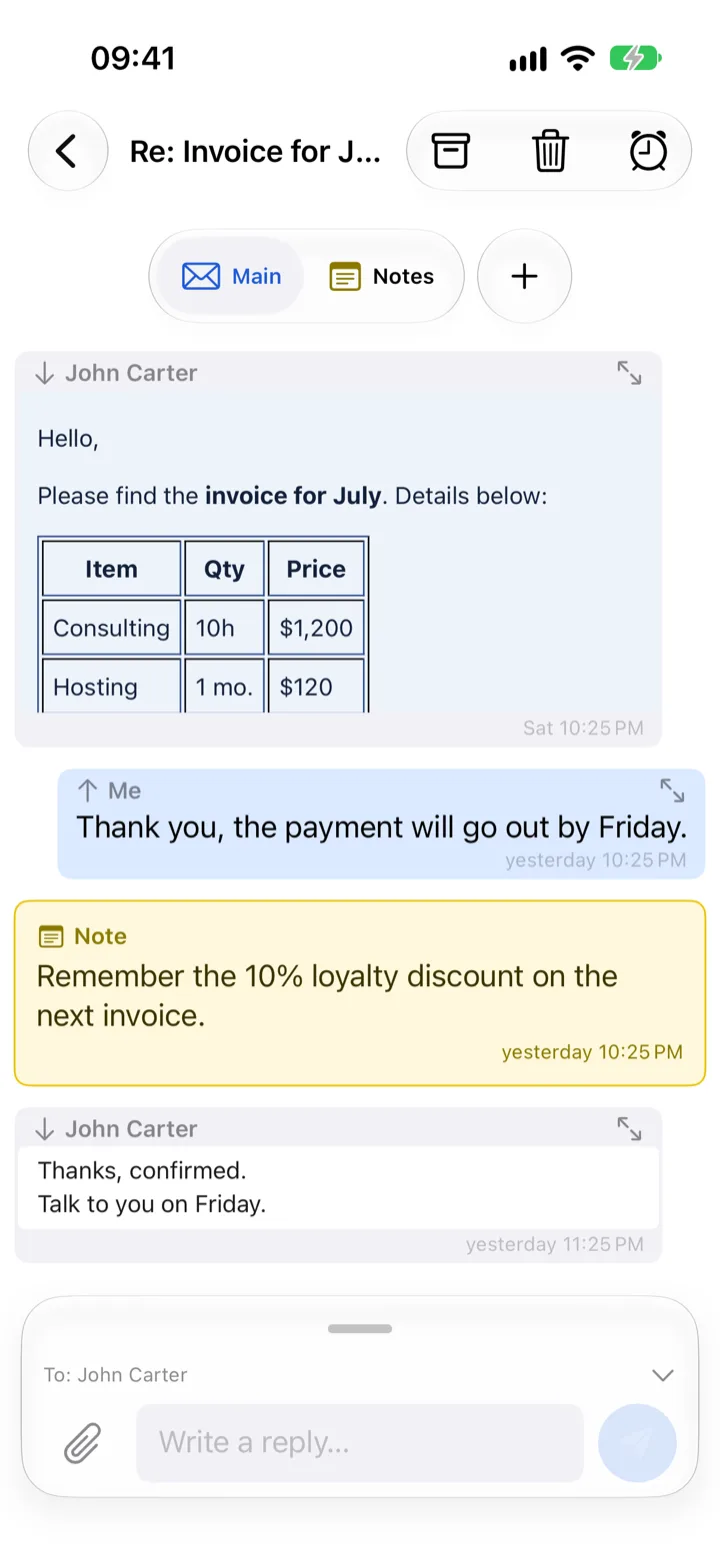
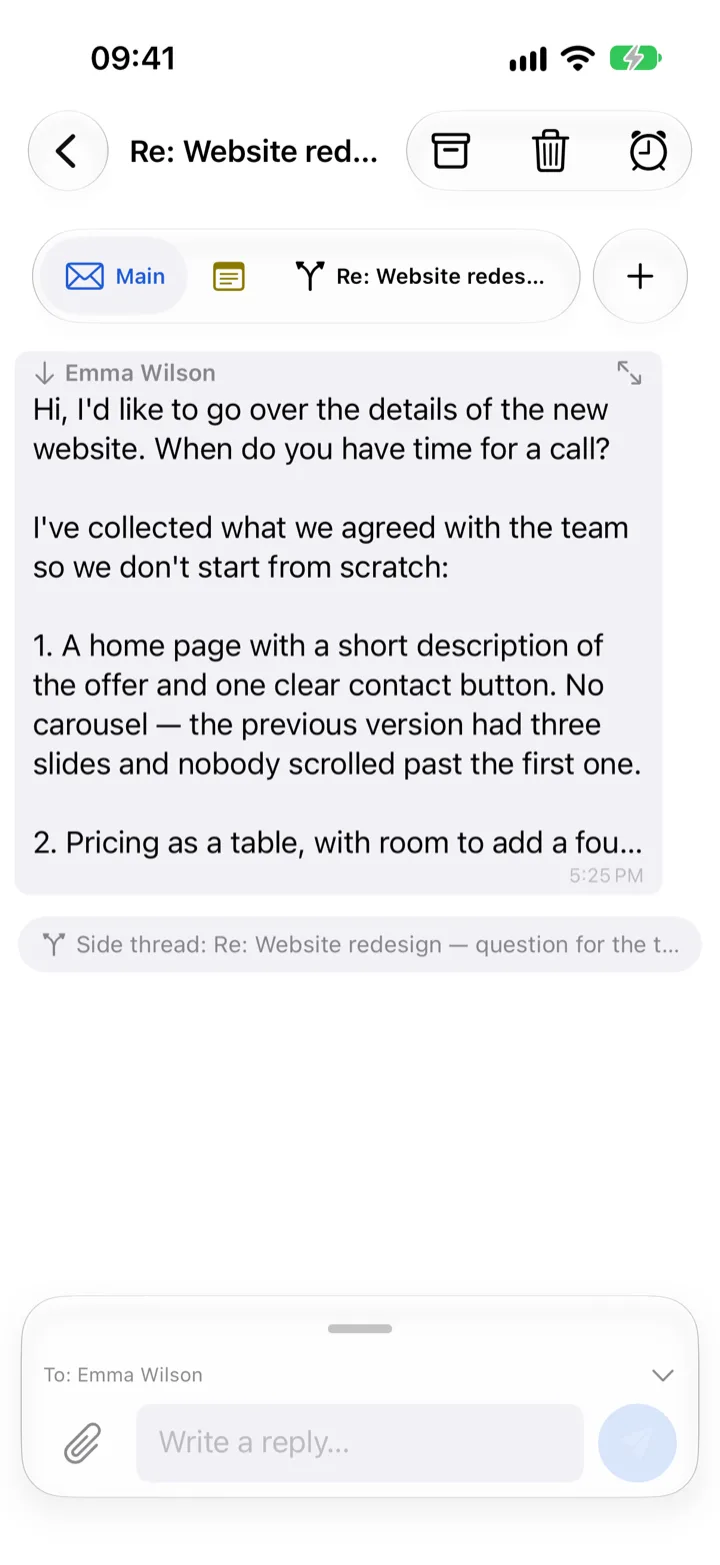
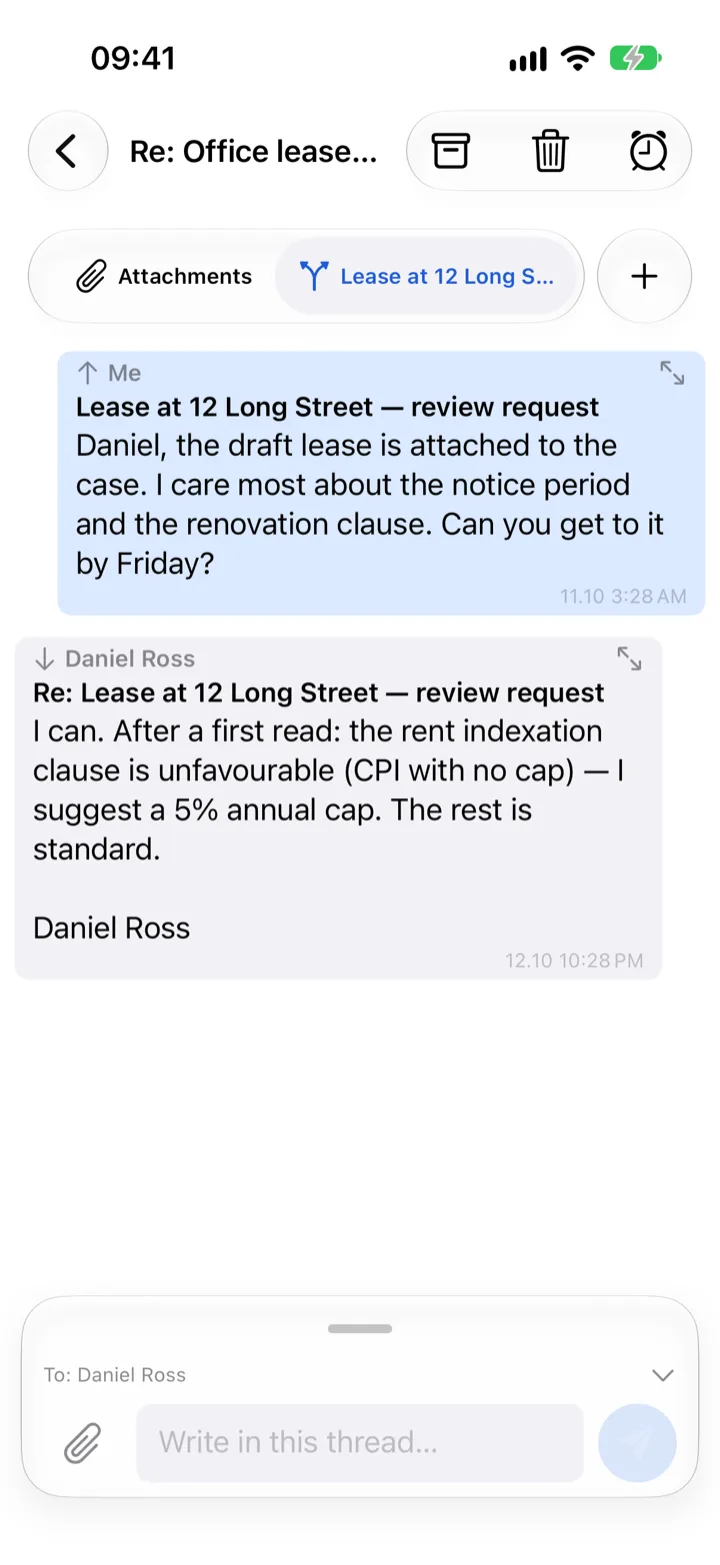
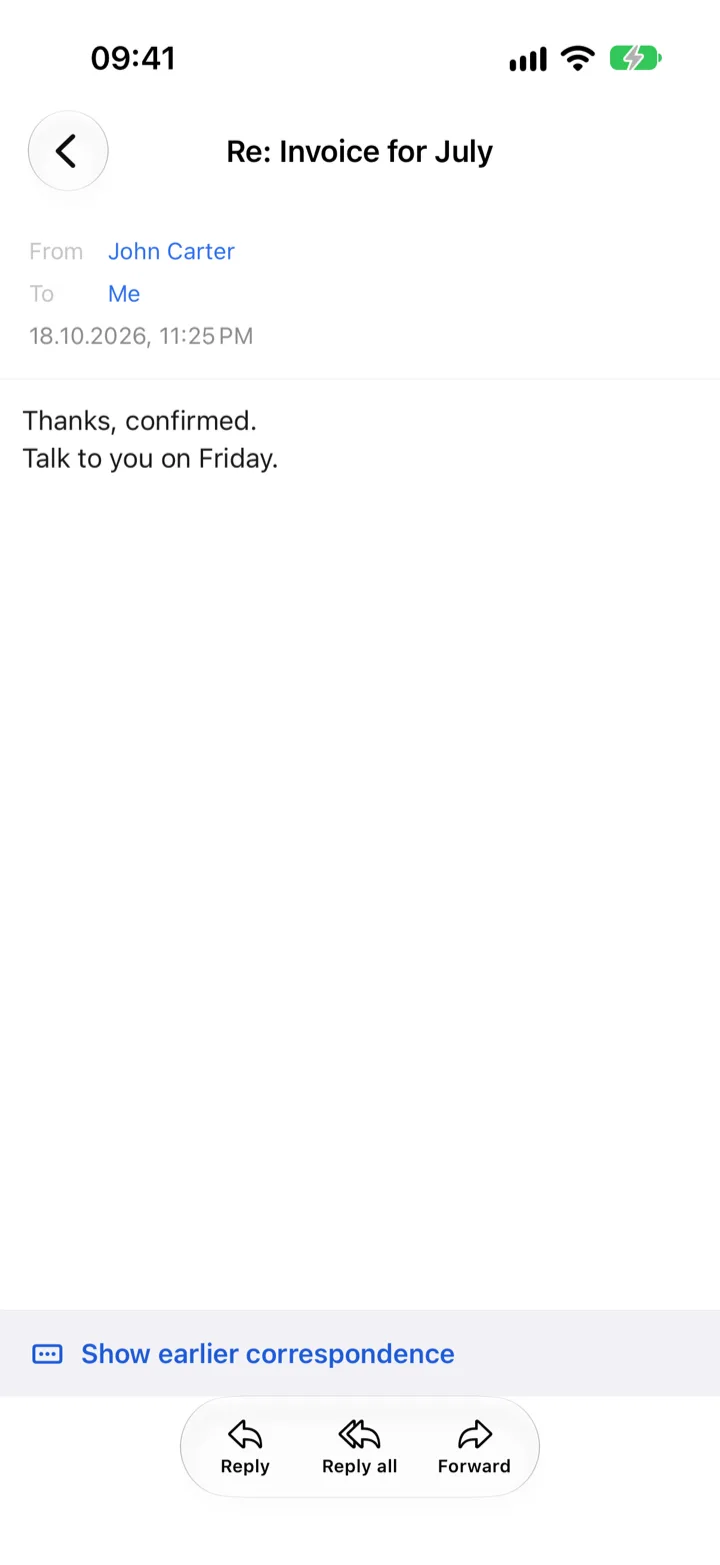
One row in the list is the whole case, and the case reads like a conversation: their messages on one side, yours on the other, each with the address it came through. The full message, with headers and attachments, is one tap away.
The whole message on your wrist. Not one line of it.
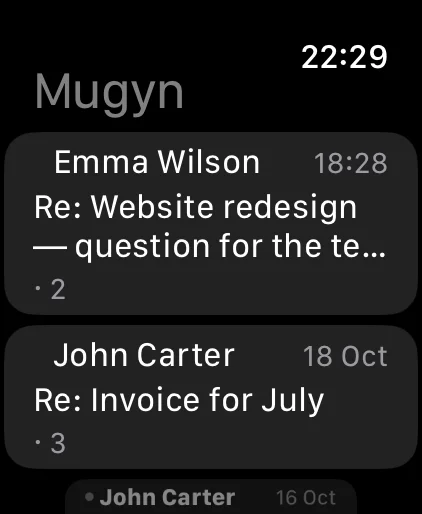
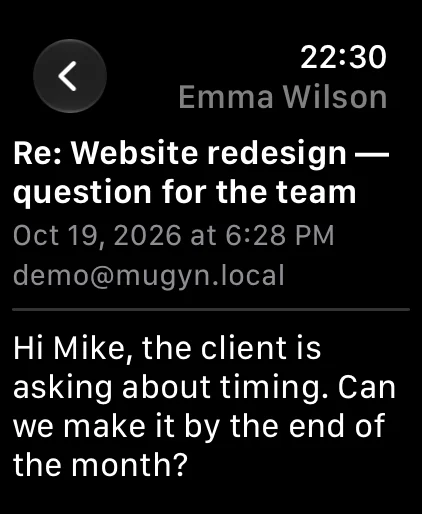
A mail notification on Apple Watch used to be a sender and a subject. Mugyn on the watch shows your recent cases, opens the full text of a message — and lets you answer it.
- Read all of it. The last fifty cases from your inbox, each message in full, attachments listed by name. Straight from your iPhone when it is nearby; without it, the watch fetches Gmail and Outlook mail itself.
- Reply, archive, mark as read. A few ready phrases, dictation or the keyboard. The reply goes out through your iPhone, from your mailbox, in the right thread.
- Same rules as the phone. A protected mailbox, or one hidden by its schedule, stays hidden on the watch too. Nothing passes through any Mugyn server.
Installs with the iPhone app; watchOS 26. iCloud Mail and other IMAP mailboxes are read through the iPhone.
No Mugyn server ever sees your mail.
Mail, notes and sign-in tokens live on your iPhone, in a database protected by system encryption. Notes leave the phone only if you turn on replication through your own iCloud Drive — your account, your storage.
- The app talks directly to Google, Microsoft or Apple. Google and Microsoft accounts sign in in the provider's own window, so Mugyn never sees your password. iCloud Mail uses an app-specific password that stays in your iPhone's Keychain and is only ever sent to Apple's servers, over an encrypted connection.
- The only Mugyn server relays a content-free "mailbox changed" signal so that Gmail and Outlook notifications arrive in seconds. It knows no senders, subjects or content and has no access to your mailbox — your iPhone fetches the sender and subject for the notification itself, straight from the provider, and for the watch also the first lines of the text. For Gmail, Google's signal includes your mailbox address: the server immediately turns it into a pseudonym and never stores it. For iCloud Mail the server plays no part at all.
- iOS Contacts are read only on the phone, with your permission: for recipient suggestions and for the names of people you correspond with. Those names are stored only in the database on your iPhone and never sent to any server; nothing beyond what you see in the address field goes into the mail you send. Each use can be turned off separately.
- On Apple Watch the app shows what your iPhone hands it. Only when the phone is out of reach does the watch talk to Google or Microsoft itself, with a copy of the sign-in token kept in the watch's own Keychain. No Mugyn server takes part.
- No ads, no analytics, no tracking. In the app and on this page. Besides your mail provider, data is processed on our behalf only by Apple (notifications, App Store), Google Cloud (relaying the Gmail signal) and RevenueCat (checking purchases: an anonymous install identifier and purchase status, nothing from your mail).
App lock
Face ID, Touch ID or your passcode when you open Mugyn, and after it has been in the background for as long as you choose: immediately, 1, 5 or 15 minutes.
Protected mailbox
Any single mailbox can require its own unlock. Until then its mail is absent from the list, folders and search, notifications show neither sender nor subject, and only a fragment of its address is visible.
Off the clock
Hide a work mailbox in the evenings, at weekends, or for a holiday of up to 14 days. You decide whether it can be unlocked early with Face ID, or stays closed until the time is up — no exceptions.
Mugyn never sees biometric data; the system does the checking. Details in the Privacy Policy.
And the everyday things, done properly.
- Reads like a conversation
- Mail shown the way Messages shows a chat, in order, without the quoted history repeated under every reply — whichever app it was sent from. Plain correspondence follows your light or dark mode. Open the original whenever you need it.
- Gmail, Outlook, iCloud Mail and any IMAP mailbox
- Google and Microsoft accounts connected in the provider's own sign-in window; iCloud Mail with an app-specific password from your Apple Account; any other mailbox over IMAP and SMTP — type the address and Mugyn finds the server settings, or enter them yourself.
- Notifications in seconds
- New Gmail and Outlook mail shows up right away, with sender and subject — on the iPhone and on the watch. iCloud and other IMAP mail is refreshed when the app syncs.
- One-time codes, ready to paste
- A verification code in a message is recognised on the phone and offered with a Copy button — in the notification, in the thread and in the message itself.
- Attachments from anywhere
- Files, your photo library or the camera, in a quick reply or a new message. Received attachments sit at the end of the message, with a shortcut straight to them.
- Search everything
- Sent and received mail, notes and attachments, across all your mailboxes. Offline, instantly.
- Your whole history, offline
- Pull in the entire mailbox or everything since a date. Read, write, search and take notes without a network; sending waits in a queue.
- Remote images blocked
- Tracking pixels are off by default. Allow images per message, per sender, per domain, or for everything.
- Reminders
- A case goes into Apple Reminders with a link back. A completed reminder is visible on the case.
- One thread across mailboxes
- Wrote from one address, got the reply on another? Mugyn shows it as one thread. Each mailbox keeps its own name and colour, so you always know which one you are writing from.
- Recipients you actually write to
- Suggestions from your own mail and, if you like, from iOS Contacts, looked up on the device.
- You know where a name comes from
- The name in a mail header is often someone else's label from their address book. Mugyn uses the name from your Contacts or the one the person gives themselves, and the person card tells you which. You can change any of them; the change stays with you and never goes into the mail you send.
- Seven languages
- English, Polish, German, Spanish, Italian, Romanian and Ukrainian.
Free for one mailbox. Forever.
All core features included: cases, notes, side threads, search, notifications, locks, Apple Watch. More mailboxes, note replication through your iCloud Drive and mailbox schedules are a one-time purchase in the App Store. No subscription.
Questions
Which accounts work?
Gmail, Microsoft (Outlook.com, Microsoft 365), iCloud Mail and any other mailbox over IMAP and SMTP — Fastmail, your hosting provider, a company server. Apple offers no sign-in window for third-party apps, so for iCloud you create an app-specific password at account.apple.com; it lives only in your iPhone's Keychain and is deleted when you disconnect the mailbox. For other IMAP providers Mugyn finds the server settings from the address; you can also enter them by hand.
Android? Mac? Apple Watch?
iPhone and Apple Watch today. A native Mac version of the same app is in development. There is no Android version.
What does the beta look like?
You get a TestFlight invite by e-mail; the Apple Watch app installs together with the iPhone app. Until Google finishes verifying the app, Gmail sign-in shows an "unverified app" screen and expires after seven days, so you sign in again. Microsoft and iCloud accounts are not affected.
Will anything cost money later?
One mailbox stays free. Extra mailboxes, iCloud note replication and mailbox schedules are a one-time purchase. An optional encrypted cloud sync may come later as a separate subscription — nothing else will depend on it.
Why the raven?
Mugyn takes its name from Muninn, one of Odin's two ravens. Every day they flew across the world and came back to tell him what they had seen. Huginn stood for thought; Muninn stood for memory — and remembering what was agreed, with whom and when, is exactly what this app is for.
Who makes Mugyn?
Bartosz Kolek, a sole developer in Wrocław, Poland. Questions and beta requests: support@mugyn.app.